

Supported Frameworks
 React
React Vue
Vue Angular
 Svelte
 Next.js
 Nuxt
Nuxt Remix
Remix Astro
Astro Express
 Django
 Rails
Rails Laravel
Less deployment busywork
Your app is ready to ship. Deployment should be, too.
Running your own server gives you control. Getting each release live can still mean juggling builds, containers, and HTTPS configuration.
The same checklist, every deploy
Build the image, upload your code, restart the container, check the proxy. Every manual step is another thing to remember when you ship.
Your app is ready. Your server needs work.
You finish a feature, then spend the evening sorting out ports, certificates, and container settings before anyone can use it.
You want control without the busywork
You chose a VPS to control your hosting and costs. Getting your app onto it should be a repeatable command, not another script to maintain.
Let QuickDeploy handle the repeatable deployment steps so you can get back to building your app.
Get QuickDeploySmoother deployments
One command handles the deployment busywork
- Build and deploy from your project directory with one command.
- Let QuickDeploy configure Docker and HTTPS for your app.
- Run your app on the server you choose and control.
- Pay once for QuickDeploy, with updates included.
How it works
From local project to live app
✓ Ubuntu-based VPS
✓ A domain name you own
✓ Web app ready to deploy
Before you start
Bring your server and app
Use an Ubuntu VPS with Docker, Docker Compose, and SSH key access. Keep ports 80 and 443 free for HTTPS setup.
quickdeploy configureStep 1
Install and configure QuickDeploy
Install the CLI, then run quickdeploy configure to add your license key, server address, and SSH credentials.
A record: myapp.com → 1.2.3.4Step 2
Point your domain to your server
Add an A record with your VPS IP address in your DNS settings. Wait for it to resolve before deploying with HTTPS.
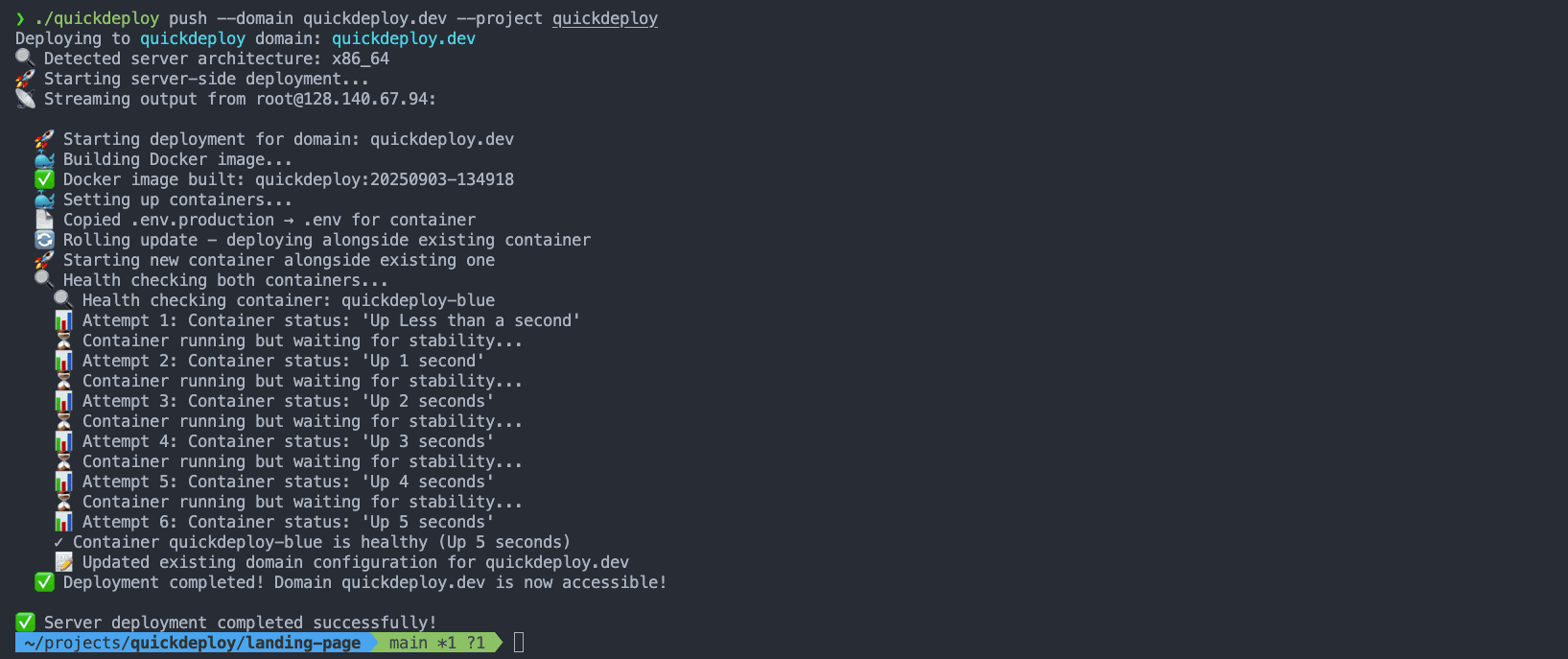
quickdeploy push --domain myapp.com
✓ Building container
✓ Setting up HTTPS with Caddy
✓ Starting your app
Step 3
Run your first deploy
Run quickdeploy push from your project directory. QuickDeploy builds your app on the server, starts its Docker container, and configures HTTPS with Caddy.
https://myapp.comStep 4
Open your app. Ship the next update.
Visit your domain to see your app live over HTTPS. When your next release is ready, run the same deploy command again.
Built for your workflow
Deploy your app, its services, and the next release
quickdeploy push --domain myapp.com # full-stack
quickdeploy push --domain myapp.com # frontend
quickdeploy push # backend
Full-stack, frontend, and backend
Deploy the parts your app needs
Deploy a full-stack app or separate frontend and backend services. Backends can run without a public domain and communicate over the internal Docker network.


Database
Add a database to your deploy
Deploy PostgreSQL, MySQL, or Redis alongside your app using database flags. Keep your app and its data on your own server.
CI/CD
Ship from your terminal or CI/CD
Configure QuickDeploy interactively for local use, or supply environment variables in your CI/CD pipeline to automate releases.
Rolling updates
Check the new container before switching
QuickDeploy starts the new container and checks that it stays running before switching traffic. Once the switch succeeds, it removes the old container.